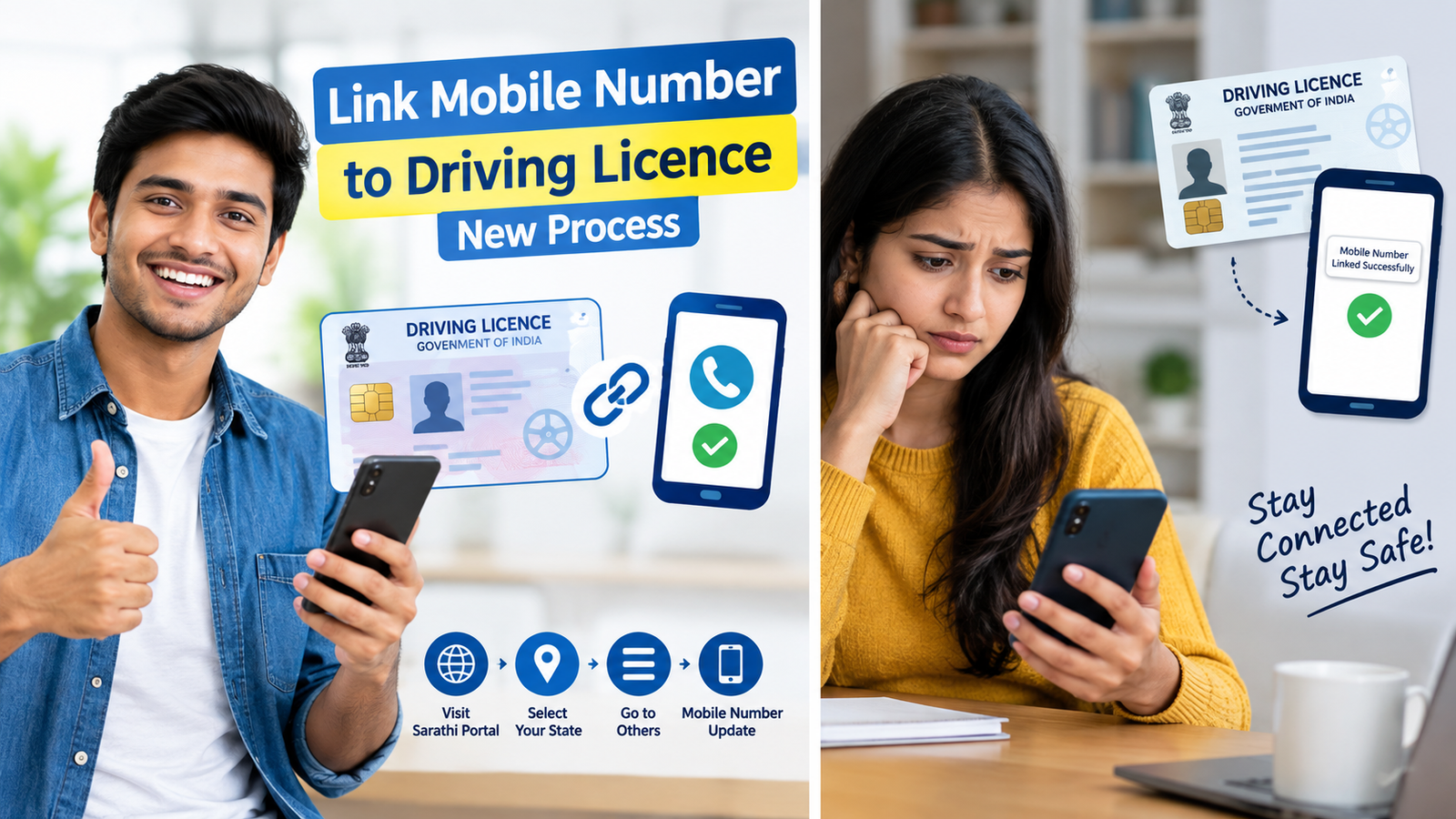
In this article, I will tell you how to link a Driving licence with a mobile number. If you have a Driving Licence and your mobile number is not updated in the transport department records, you may face problems while using some online services. Many people also search for loked Mobile number to a Driving Licence because they want to receive OTPs and use online Driving Licence-related services without visiting the RTO unnecessarily.
The good news is that the mobile number associated with your Driving Licence can generally be updated online through the official Sarathi Parivahan portal. The official Parivahan FAQ provides the process: visit Sarathi, select your concerned state, and choose Mobile Number Update from the Others menu.
In this guide, we will explain the new process step by step in simple language, including what you need, where to update your number, what to do if the OTP does not arrive, and what you should check after the update.
What Does Linking a Driving licence with a mobile number Mean?
When people say link mobile number to Driving Licence, they usually mean updating or associating their current mobile number with their Driving Licence record maintained through the transport system.
A mobile number is useful for online transport services because OTP-based verification may be required for different transactions. Keeping your contact information updated also helps ensure that your records are current.
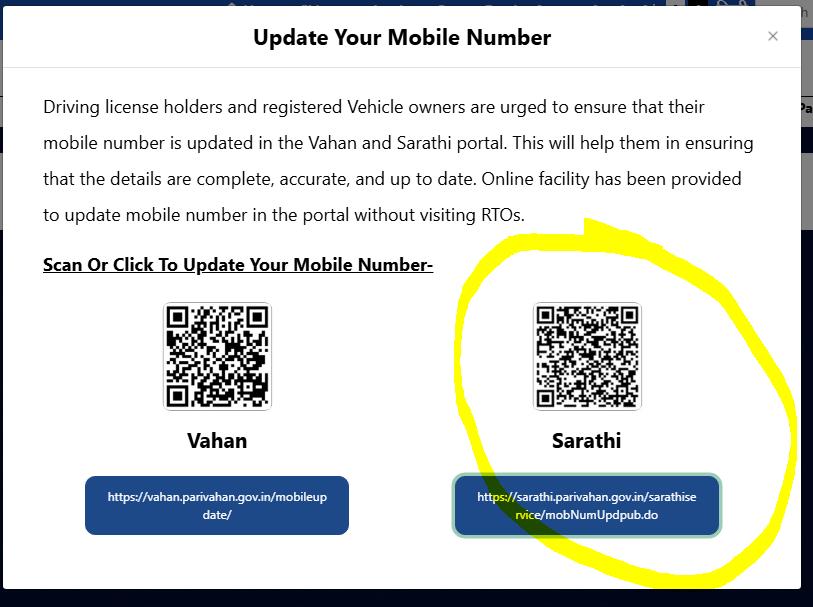
The Government’s Parivahan portal specifically advises Driving Licence holders to keep their mobile number updated in the Sarathi system. The portal states that an online facility is available for updating the mobile number without visiting an RTO in the normal process.
Why Should You Link Your Mobile Number With Your Driving Licence?
There are several practical reasons to complete the linked mobile number to Driving Licence process.
1. Easier Online Verification
A current mobile number can make OTP-based verification easier when a particular online service requires it.
2. Helps With Online Services
Many transport-related services are now available online. Having updated contact information can make it easier to use these services.
3. Avoid Problems With an Old Number
If your old SIM is no longer active, you may not receive OTPs sent to the previous number. Updating your current number can help avoid this issue.
4. Keeps Your Record Updated
The official Parivahan portal encourages Driving Licence holders to keep their mobile number updated so that their information remains complete and current.
New Process to Link Mobile Number to Driving Licence
The current official process is quite simple.
Follow these steps carefully.
Step 1: Open the Official Sarathi Parivahan Website
First, visit the official Sarathi Parivahan website.
Avoid using unknown websites or third-party links that ask for your Driving Licence details, Aadhaar information, OTP, or other personal information.
The official Parivahan FAQ directs users to:
Sarathi Parivahan → Select State → Others → Mobile Number Update for updating the mobile number on a Driving Licence.
Step 2: Select Your State
After opening Sarathi Parivahan, you need to select the state concerned with your Driving Licence.
Choose the correct state from the available list.
This is important because Sarathi services are organised according to the state/transport authority.
Step 3: Look for the “Others” Menu
After selecting your state, look at the available services and menus.
Find the “Others” option.
Under this menu, look for:
Mobile Number Update
The official Parivahan FAQ specifically lists this route for updating a mobile number on a Driving Licence.
Step 4: Enter Your Driving Licence Details
The portal may ask you for details needed to identify your Driving Licence record.
Enter the information carefully.
Make sure your:
- Driving Licence number is correct
- Date of birth is correct
- Other requested details match your official record
A small mistake in your details can prevent the system from finding or verifying your licence record.
Step 5: Enter Your Current Mobile Number
Now enter the mobile number that you want to associate with your Driving Licence.
Before submitting, check the number twice.
This is especially important because an OTP may be sent during the verification process.
Step 6: Verify Your Mobile Number
Depending on the service flow available for your state and licence record, you may be asked to complete OTP verification.
Enter the OTP received on your mobile phone and submit the verification.
Never share your OTP with another person.
Step 7: Submit the Request
After entering the required information and completing verification, submit the request.
If the update is successfully processed, the portal should show a confirmation or success message.
Keep a screenshot of the confirmation page if you want a record for future reference.
Is It Necessary to Visit the RTO?
In many cases, the mobile number update facility is available online.
The official Parivahan portal currently states that an online facility is available for Driving Licence holders to update their mobile number without visiting an RTO.
However, online services can vary according to the state, RTO, database record, or technical situation.
If the online process does not work for your licence, you may need to contact the concerned transport office.
Therefore, do not assume that every Driving Licence record will have exactly the same screen or verification process.
What If Your Old Mobile Number Is Not Active?
This is one of the most common questions about loked Mobile number to a driving licence.
If your old mobile number is inactive, the important thing is to use the official mobile number update facility and follow the verification method shown by the portal.
Do not try to use unofficial websites offering to change the number for a fee.
If the system cannot verify your details or does not allow you to update the number, contact the concerned transport authority or Sarathi support.
For technical problems related to Learner Licence and Driving Licence services, Parivahan lists helpdesk-sarathi@gov.in as the Sarathi support email.
What If OTP Is Not Received?
Sometimes users complete the locked mobile number to Driving Licence process but do not receive an OTP.
Try these basic checks:
- Check whether your mobile network is working.
- Wait for a short time before requesting another OTP.
- Check that you entered the correct mobile number.
- Use the official Sarathi website instead of a third-party website.
- Avoid repeatedly requesting OTPs within a very short period.
- If the problem continues, contact official Sarathi support.
Technical problems can also occur because of temporary server issues or maintenance.
What Information Should You Keep Ready?
Before starting the process, keep the following information available:
- Your Driving Licence number
- Date of birth
- Your current mobile number
- Access to the mobile phone for OTP verification
- Any other information requested by the official portal
The exact information requested can vary depending on the service and state.
Is There Any Fee for Linking the Mobile Number?
The mobile number update facility should be checked directly on the official Parivahan/Sarathi portal before completing the request.
Do not pay an unofficial website or an individual simply because they claim that a fee is required to link a mobile number to a driving licence.
If any official fee is applicable to a particular transaction, follow the amount and payment instructions displayed on the official government portal.
How to Check Whether Your Mobile Number Has Been Updated?
After completing the process, look for the confirmation message displayed by the portal.
You can also use relevant official Driving Licence services later to determine whether your updated contact information is being recognised.
Read this: 20 Best Ways to Make Money Online For Beginners | Without Experience
Keep your application or transaction details if the system provides them.
If the updated number does not appear or the service continues to show the old information, give the system some time and try again. If the issue continues, contact the concerned transport authority.
Common Mistakes to Avoid
While completing the linked Mobile number to Driving Licence process, avoid these common mistakes.
Using an Unofficial Website
Always start from the official Parivahan/Sarathi portal.
There are many websites and videos that explain government services, but the actual transaction should be performed through the official portal.
Entering the Wrong Date of Birth
Your date of birth should match the Driving Licence record.
Entering Someone Else’s Mobile Number
Use a mobile number that you control and can access for OTP verification.
Sharing Your OTP
Never share an OTP with anyone claiming to be a transport department employee, agent, or customer-care representative.
Using Outdated Instructions
Government websites can change their menus and service interfaces. An old YouTube video may show a different screen.
For the current process, follow the instructions displayed on the official Sarathi portal.
Difference Between Driving Licence Mobile Number and Vehicle Mobile Number
This is an important point that many people misunderstand.
Your Driving Licence record and your vehicle registration record are different records.
Parivahan operates both Sarathi for Driving Licence services and Vahan for vehicle registration-related services. The official portal separately advises Driving Licence holders and registered vehicle owners to update their mobile numbers in the respective systems.
Therefore, updating the mobile number connected with your Driving Licence does not automatically mean that the mobile number associated with every vehicle registered in your name has also been changed.
If you own a vehicle, check the relevant Vahan service separately.
Can I Link My Mobile Number Online From Home?
Yes, the official Parivahan information indicates that an online mobile-number update facility is available for Driving Licence holders.
You generally do not need to visit an RTO simply to start the online mobile-number update process.
However, if your record has an issue, the service is unavailable for your particular case, or the portal instructs you to contact the transport office, follow those instructions.
What If the Sarathi Website Is Not Working?
Government portals can occasionally experience technical problems.
If Sarathi is temporarily unavailable, you can try again later.
You should also make sure you are using the official website and a current browser.
If the problem is related specifically to a Driving Licence service, Parivahan provides Sarathi technical support. Its contact information lists helpdesk-sarathi@gov.in for Learner Licence and Driving Licence-related technical problems.
Is Aadhaar Required to Link Mobile Number to Driving Licence?
Do not assume that Aadhaar is always required for every mobile-number update.
The exact verification method can depend on the service and state implementation.
Follow the verification instructions shown on the official Sarathi portal for your particular Driving Licence.
If the portal asks for Aadhaar-based authentication for a specific service, use the official process and carefully read the consent information before proceeding.
Important Safety Tips
While searching for a linked mobile number to your Driving Licence, you may find websites, apps, or people claiming they can update your number immediately.
Be careful.
Use the official government portal whenever possible.
Never share:
- OTP
- Banking PIN
- ATM PIN
- UPI PIN
- Internet banking password
- Card CVV
- Passwords
with anyone claiming to help you update your Driving Licence.
The official eChallan portal also warns users about fraudulent websites and apps impersonating government services and advises accessing services through official channels.
Frequently Asked Questions
How can I link my mobile number to my Driving Licence?
Go to the official Sarathi Parivahan website, select your state, open the Others menu, and choose Mobile Number Update. This is the route specified in the official Parivahan FAQ.
Can I update my Driving Licence mobile number online?
Yes. Parivahan provides an online facility for updating the mobile number associated with a Driving Licence, although the exact process can vary according to the state and record.
What is required to update the mobile number?
You should generally keep your Driving Licence details, date of birth, and current mobile number ready. The portal will show the information required for your particular transaction.
Can I update my number without visiting the RTO?
The official Parivahan portal says an online facility is available to update mobile numbers without visiting an RTO. However, if your particular record or situation requires additional verification, the portal or transport authority may provide different instructions.
What should I do if my old number is lost?
Use the official mobile number update facility and follow the verification instructions provided by Sarathi. If you cannot complete the process online, contact the concerned transport authority or Sarathi support.
Is the process the same in every state?
The basic route is provided through Sarathi, but available services and verification requirements can vary by state/RTO. The official FAQ instructs users to select their concerned state before accessing the service.
Why is my OTP not coming?
Check your network connection, confirm that the entered number is correct, wait briefly, and try again. If the problem continues, it may be a temporary technical issue or a problem with the record.
Is my vehicle’s mobile number automatically updated?
Not necessarily. Vehicle registration information is handled through Vahan, while Driving Licence services are handled through Sarathi. Check and update each record separately when necessary.
Final Words
Keeping your contact information updated is a simple but useful part of maintaining your Driving Licence record. If you have been searching for linking a mobile number to your Driving Licence, the current official route is through Sarathi Parivahan.
The basic process is:
Sarathi Parivahan → Select Your State → Others → Mobile Number Update → Enter Required Details → Verify → Submit.
The most important thing is to use the official government portal and carefully follow the instructions displayed for your state. Do not share your OTP or other sensitive information with agents or unknown websites.
Because government portals can be updated from time to time, the buttons, screens, or verification steps may look different from older tutorials. When that happens, rely on the instructions displayed on the official Parivahan/Sarathi website rather than following an outdated video.
Keeping your linked mobile number to Driving Licence information current can make future online transport services easier to access and can help you avoid unnecessary problems caused by an old or inactive mobile number.